How to Add Star Ratings in Google Search Results
Add review schema the right way: use real, visible reviews, valid JSON-LD, and understand why Google still might not show the stars.

So you saw the yellow stars in a Google search result, and now you want them too. Fair. They make a listing look more reliable. As though it survived a tiny audition.
The important bit: you don’t add stars to Google. You add review structured data to a page with real reviews, and Google may decide to show a review rich result. may is doing a lot of work here.
The short answer
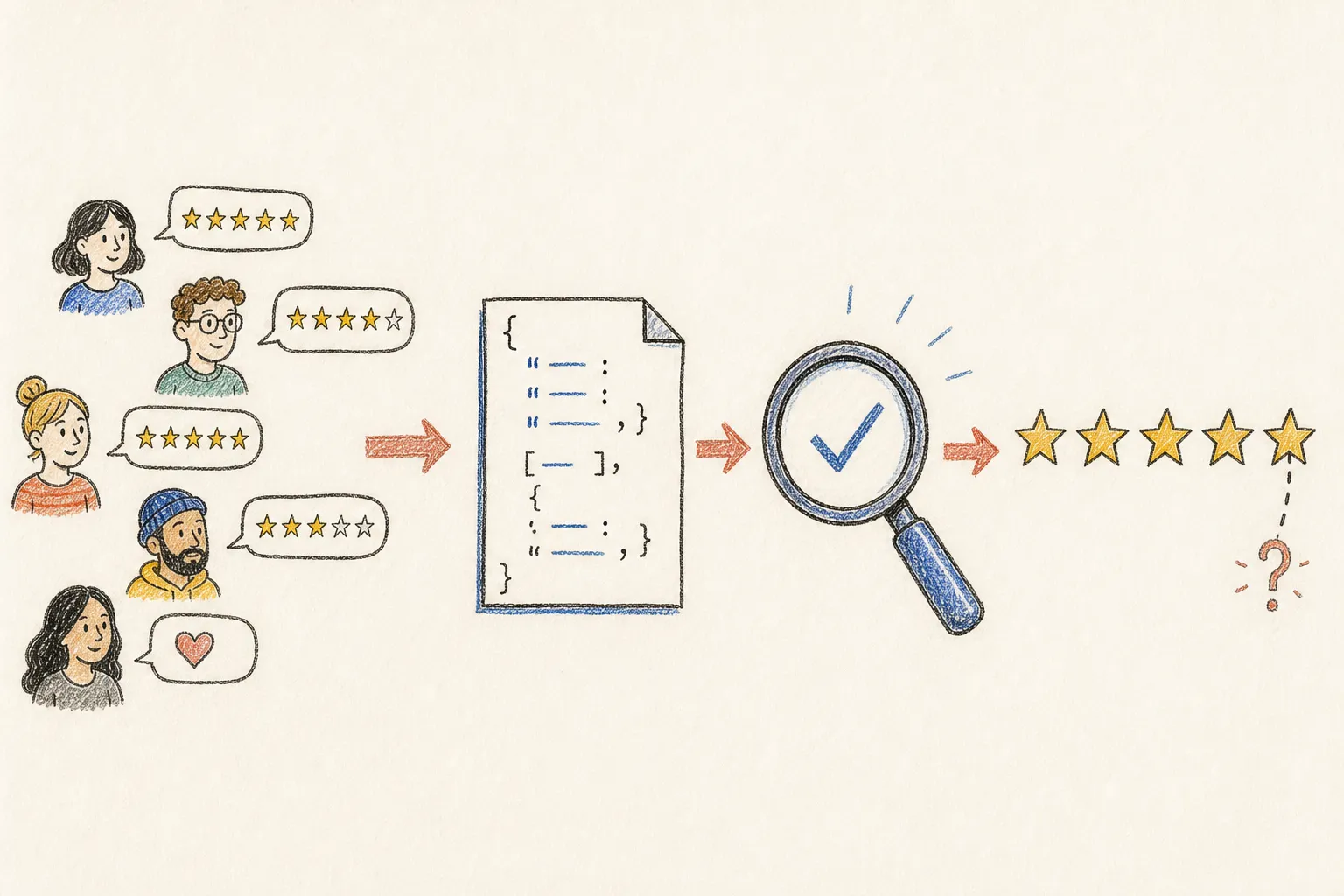
For an eligible product or another supported page type, add AggregateRating schema with JSON-LD. The rating must be real. It must come from your site, be visible on the page, and belong to that exact item.
No third-party review totals
No schema spam
No fake reviews
Valid markup makes your page eligible. It does not guarantee stars.
What page types are supported?
Google supports review snippets for things such as Product, Recipe, Book, Course, Event, and SoftwareApplication. An AggregateRating is the average score from many reviewers; an individual Review is one person’s review.
Before touching code: can you actually get stars?
The three warnings above are the rules people break most. Two more that are easy to miss:
- The rating and the review content must be visible on the same page as the markup. Stars that only exist in JSON don’t count.
- If you show several reviews, include their aggregate rating too.
Add aggregate rating JSON-LD
For a product page, JSON-LD is usually the simplest option. Put it in the page <head> or render it through your CMS. Show the same rating and review count on the page.
<script type="application/ld+json">{ "@context": "https://schema.org", "@type": "Product", "name": "Orbit Kettle", "image": "https://example.com/images/orbit-kettle.jpg", "description": "A very normal kettle with an unnecessarily good name.", "sku": "OK-01", "aggregateRating": { "@type": "AggregateRating", "ratingValue": "4.7", "reviewCount": "128", "bestRating": "5", "worstRating": "1" }}</script>A very normal kettle with an unnecessarily good name. Boils water faster than I find the mug.
"aggregateRating": {
  "@type": "AggregateRating",
  "ratingValue": "4.7",
  "reviewCount": "128",
  "bestRating": "5",
  "worstRating": "1"
}ratingValue is the average. reviewCount is the number of reviews. If you omit bestRating and worstRating, Google assumes a 1–5 scale.
For individual reviews, add a review array to the item being reviewed. Each review needs a real author and a rating. Add the review text and date too.
{ "@type": "Review", "author": { "@type": "Person", "name": "Maya Cohen" }, "reviewRating": { "@type": "Rating", "ratingValue": "5", "bestRating": "5" }, "reviewBody": "Boils water faster than I find the mug."}WordPress: plugin, theme, or custom code?
If WooCommerce or your SEO plugin already outputs product schema, start there. A second Product block can create conflicting markup.
For a custom template, print one JSON-LD object from the same review data used on the page. For a one-off, try TechnicalSEO’s Schema Markup Generator. Then read the output. A generator is a form, not a truth serum.
Test it before waiting for magic
- Paste the published URL or the code into Google’s Rich Results Test.
- Fix critical errors and check that the rating visible to Google matches the page.
- Inspect the live URL in Search Console and request indexing if the page is ready.
- Wait for Google to crawl and re-index it. This can take days, and stars may still not appear.
The test checks whether Google can read the markup. It cannot promise stars.
Why stars still don’t show up
Usually, it is one of these:
- Google has not crawled the change yet.
- The page is ineligible, especially due to self-serving business reviews.
- The rating is not visible, isn’t genuine, or doesn’t match the markup.
- The reviewed thing is a category, an abstract service page, or another unsupported type.
- The markup is valid, but Google chooses not to show stars for that query or page.
You can’t console.log() your way out of that one.
FAQ
Can I use Google reviews in my schema?
No. Google says not to aggregate ratings from other websites. You can link to or embed them for people to read. Don’t copy their count or average into your own AggregateRating markup.
Does schema markup improve rankings?
Schema helps search engines understand your page. It can make the page eligible for a richer result. It does not guarantee stars or better rankings. The markup is the label, not the product.
Can I add star ratings to my homepage, or review my own business?
No. A business cannot give itself review stars in organic search with LocalBusiness or Organization markup on its own site. A homepage full of testimonials is exactly that, and so is an embedded third-party review widget. Google calls these self-serving reviews. If you want stars, mark up a specific eligible item with real reviews on its own page.
A restaurant reviewing other restaurants can be fine. A restaurant giving itself five stars is not.
Sources
Comments
Comments live in GitHub Discussions (via giscus), so you need a GitHub account to join in.