Fixing a Font
A client's site started showing ₪ instead of &. The culprit was the font. Here's how I tracked it down and shipped a fix in a day.
Story starts like always: an old WordPress site, rebuilt over 20 times by an even larger number of developers. Today the client found out that & is being replaced with ₪.
By this point I was already familiar with font definitions and unicode ranges.
This, for example, defines a font family named “Practica” and where to find it. But notice the range: it only covers Hebrew.
@font-face {  font-family: "Practica";  src: url("/fonts/PracticaNarrow-Regular.woff2") format("woff2");  font-weight: 700;
unicode-range: U+0590-U+05FF /* << This is strange */}Tom & Jerry, R&D, AT&T, Ben & Jerry's, rock & roll.
No ampersands harmed. Yet.
First thing I did was disable the font:
p { font-family:"Practica"; font-family:unset;}This time the & showed up - the problem is indeed with the font.
So on a hunch I went into the network tab, filtered by fonts coming from ‘themes’ and downloaded the culprit - PracticaNarrow-Regular.woff2. After a quick google I found a site that lets you preview the font:
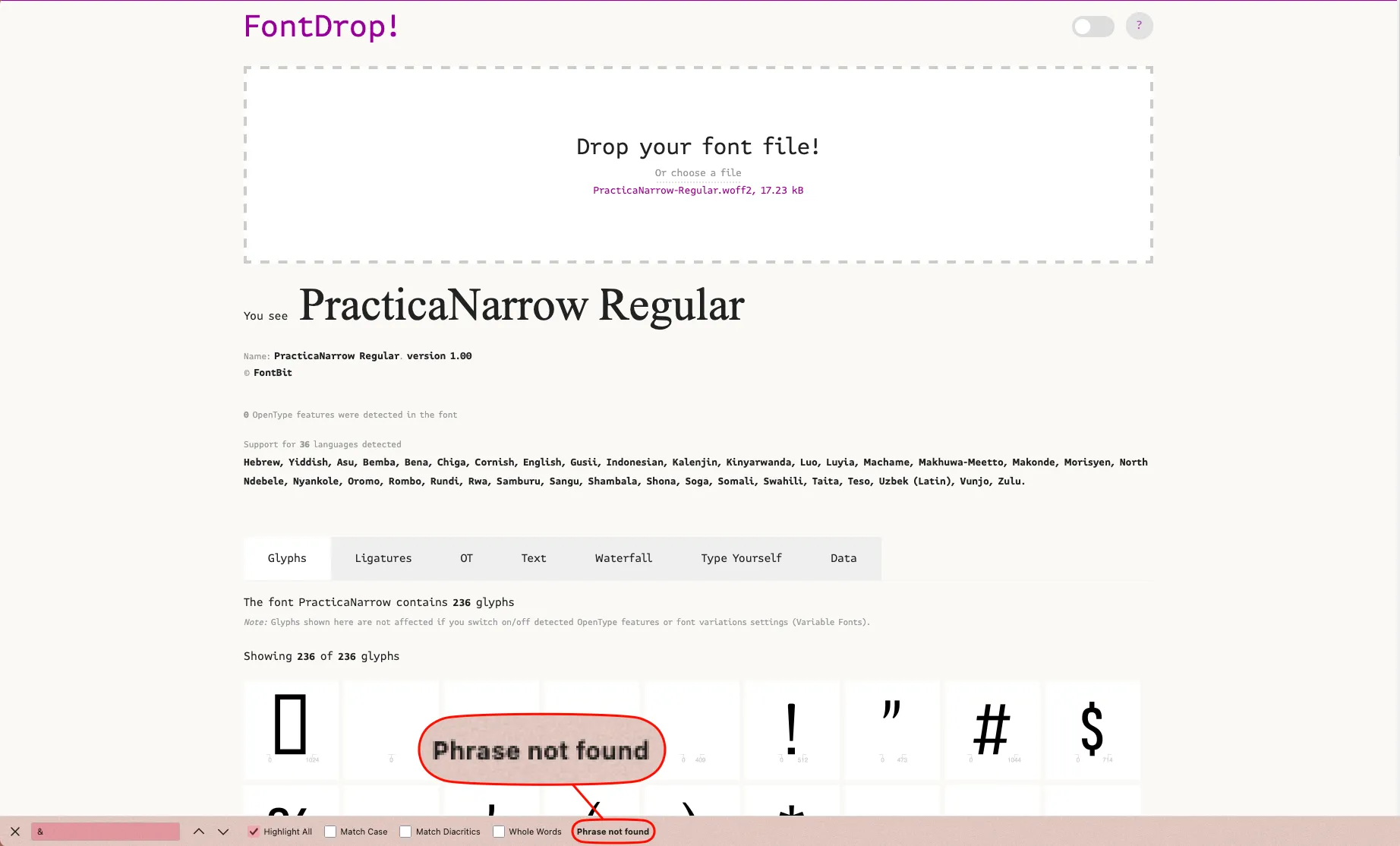
Shit, so what now? I can override the font definition for the ampersand like so:
@font-face { font-family: "Practica"; src: url("/fonts/Practica.woff2") format("woff2");}@font-face { font-family: "Practica"; src: url("/fonts/Practica-Regular.woff2") format("woff2"); unicode-range: U+20AA /* << This is strange */}And that was it. The & came back, the fix shipped the same day and passed every test, and I never had to talk to the designer. Two things fixed that day: the font and my mood.
See also: that time a grayscale filter broke all my popups, another CSS bug on another old WordPress site.
Comments
Comments live in GitHub Discussions (via giscus), so you need a GitHub account to join in.