Creality Filament Stuck in the Nozzle: How to Pull It Out
How I removed broken filament from a Creality nozzle with a lighter, a hex key, and pliers. Two steps, plus a warning about cooling it down.
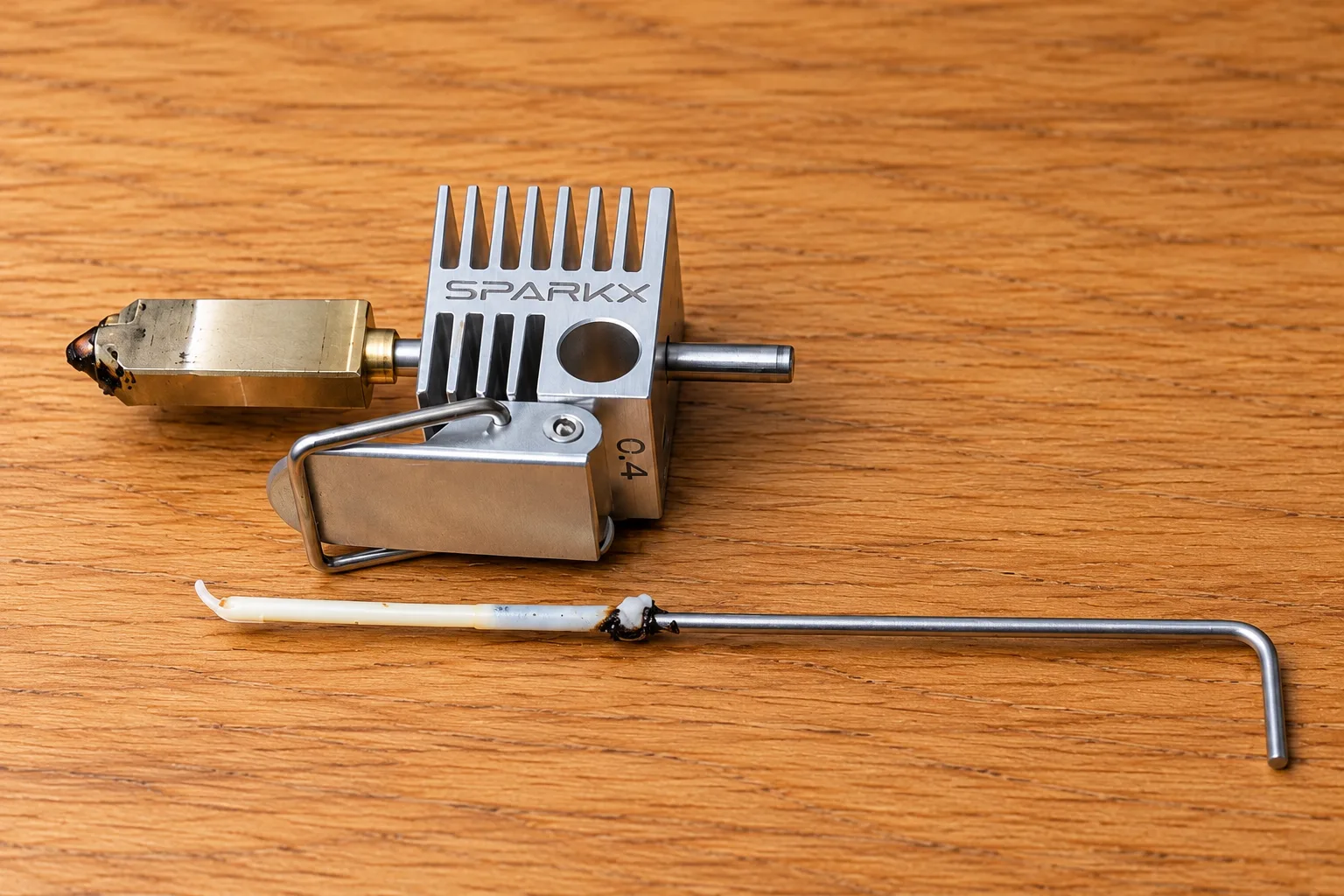
Actually, I’m not sure how I got to this point. The last print was a couple of days ago, went smoothly as always, and today I’m getting my first error. It took me some time to understand what’s going on, some disassembly of the printer and CFS module, some pushing and pulling of the filament string. In the end the issue was that a piece of filament got stuck in the nozzle. The bigger problem was that it broke right at the edge of the tube!
To remember this small win, and to share this hack with people, I wrote this article.
My printer is the Creality SPARKX I7, but I’m sure it works on all similar nozzles such as Bambu Labs A1. In case you got no tools, and haven’t yet found the clog article of your favorite brand - you can do so now - Creality’s clog guide or Bambu Lab’s X1/P1 guide.
Without further ado
What you’ll need
- A small hex key that fits loosely into the filament entry. 1.5mm worked for me.
- A lighter. A blowtorch also works, as long as you can control the heat decently well.
- Pliers to hold the hotend. A table clamp or bench vise is even better: both hands stay free.
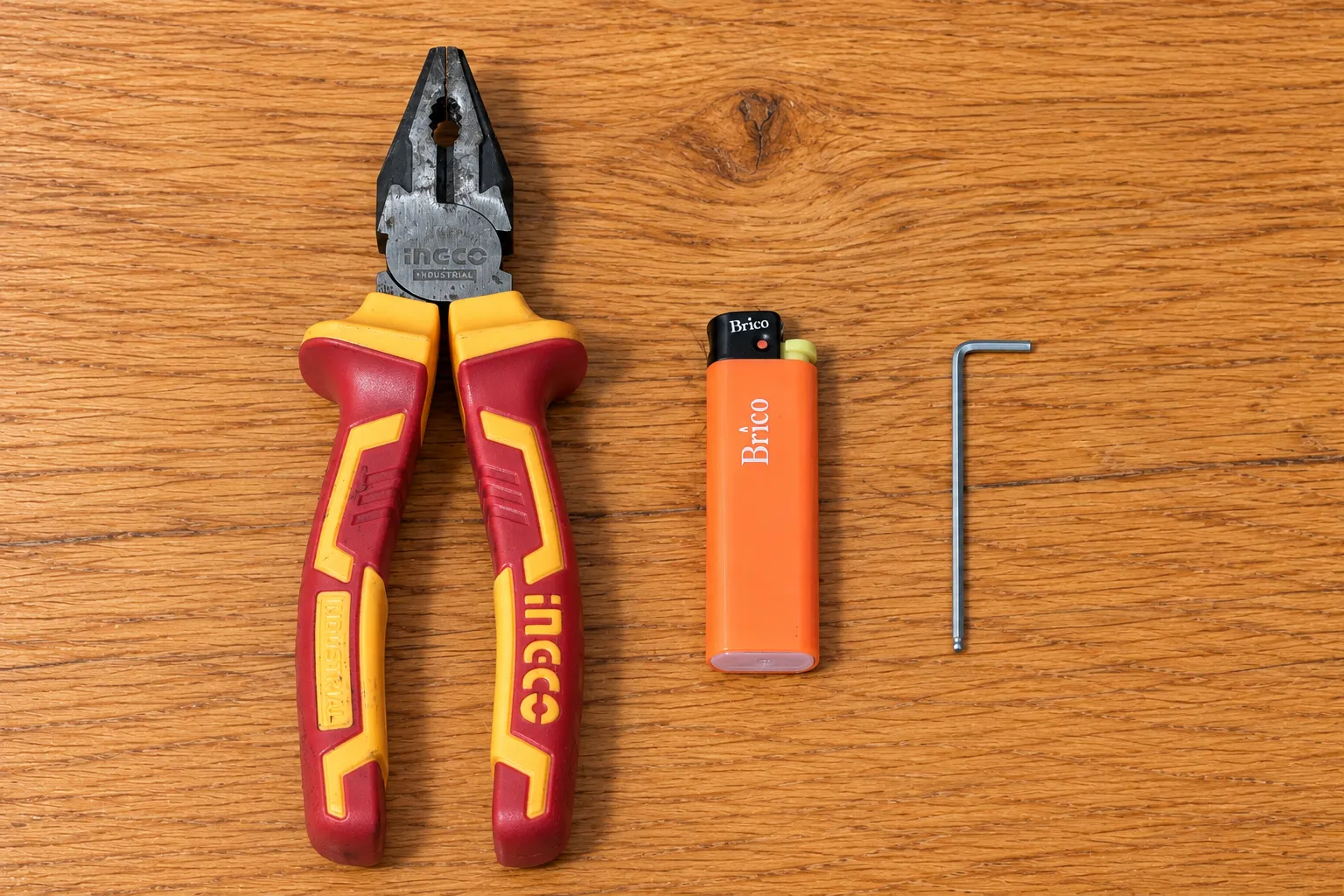
Remove the hotend (i7 instructions), power off the printer, and take off the silicone sock. Keep wires, heaters, sensors, plastic, and any PTFE liner out of the flame. If you can’t isolate the metal part, skip this method!
Work over a nonflammable surface with ventilation and try not to crush the fins or clamp the neck; you need gentle pressure to hold the nozzle.
1. Give the filament a handle
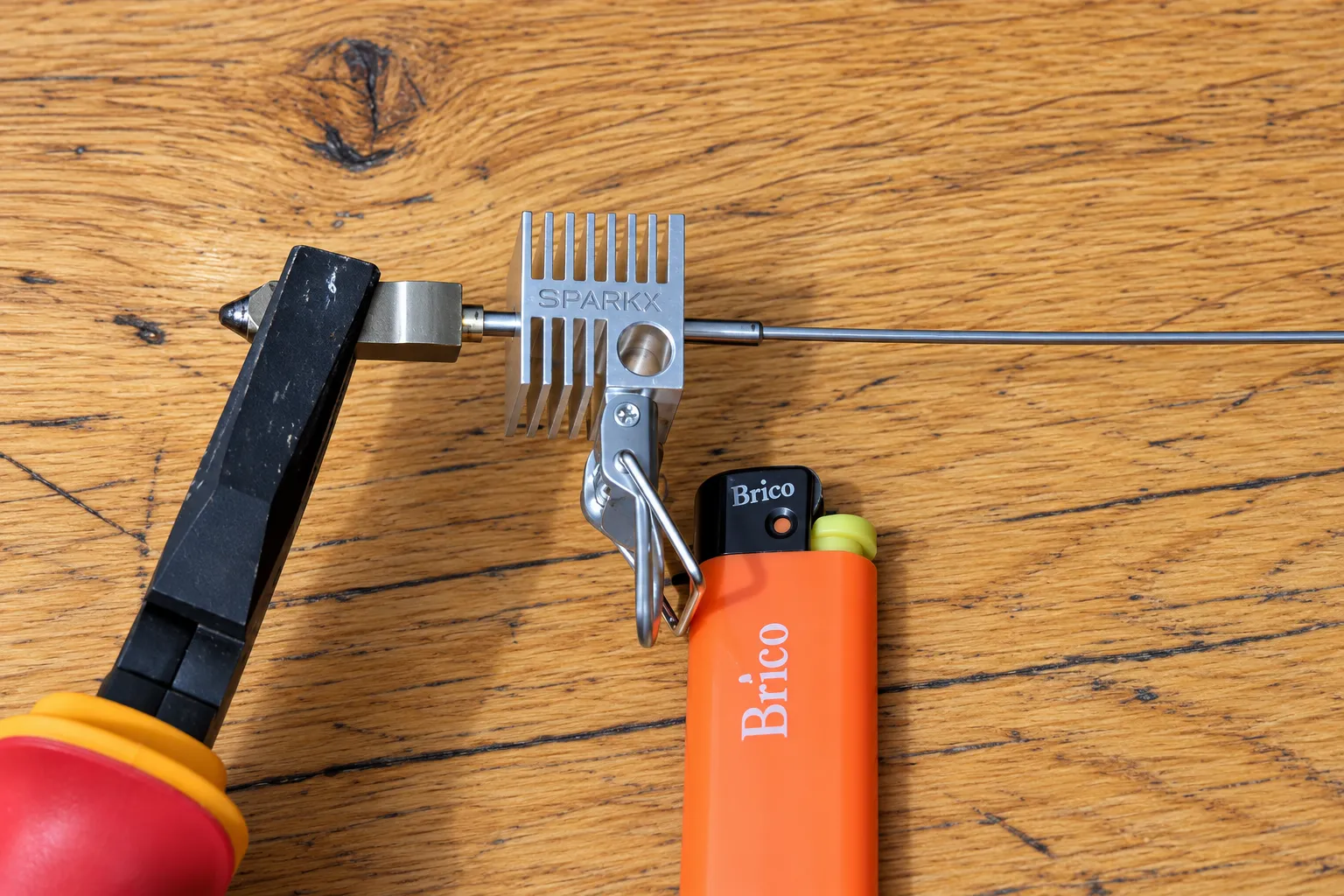
Heat the filament entry: the hole opposite the tiny nozzle outlet, should take 3-5 seconds to get the plastic inside to soften. Then push hard the long end of the hex key into the softening plastic. Keep applying the pressure until the plastic has cooled off. Don’t try to pull it yet, chances are your filament is stuck at the neck or the nozzle.
2. Heat the neck and pull
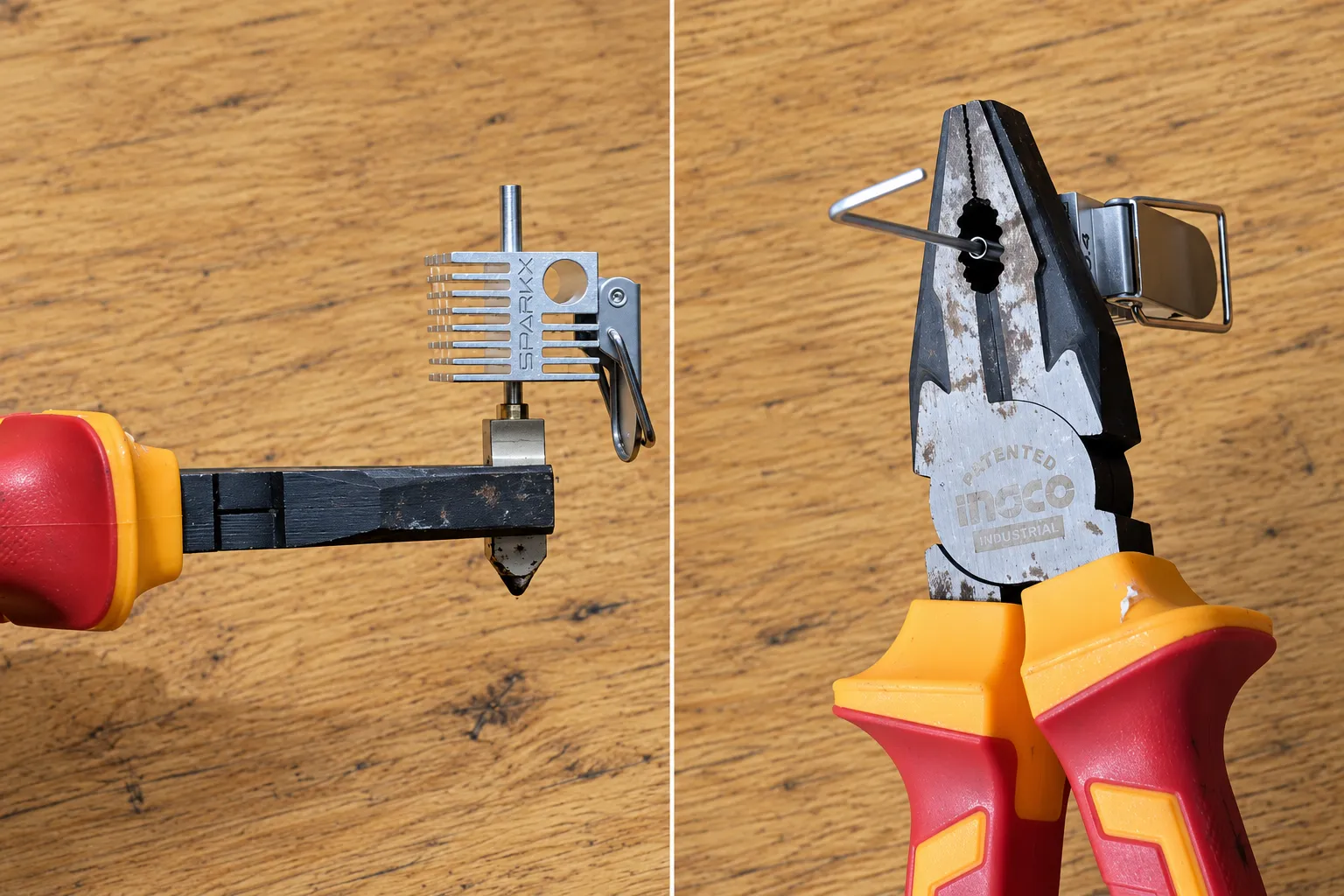
This is the important part, the pull takes a bit of force, but you can accidentally damage the heatsink if you’re not careful. To avoid this either hold the nozzle, it’s thick so it should be ok, or if you’re worried you might damage it, thread the filament entry through the pliers hole, and use the pliers as a counterforce: don’t hold the nozzle, just push against it.
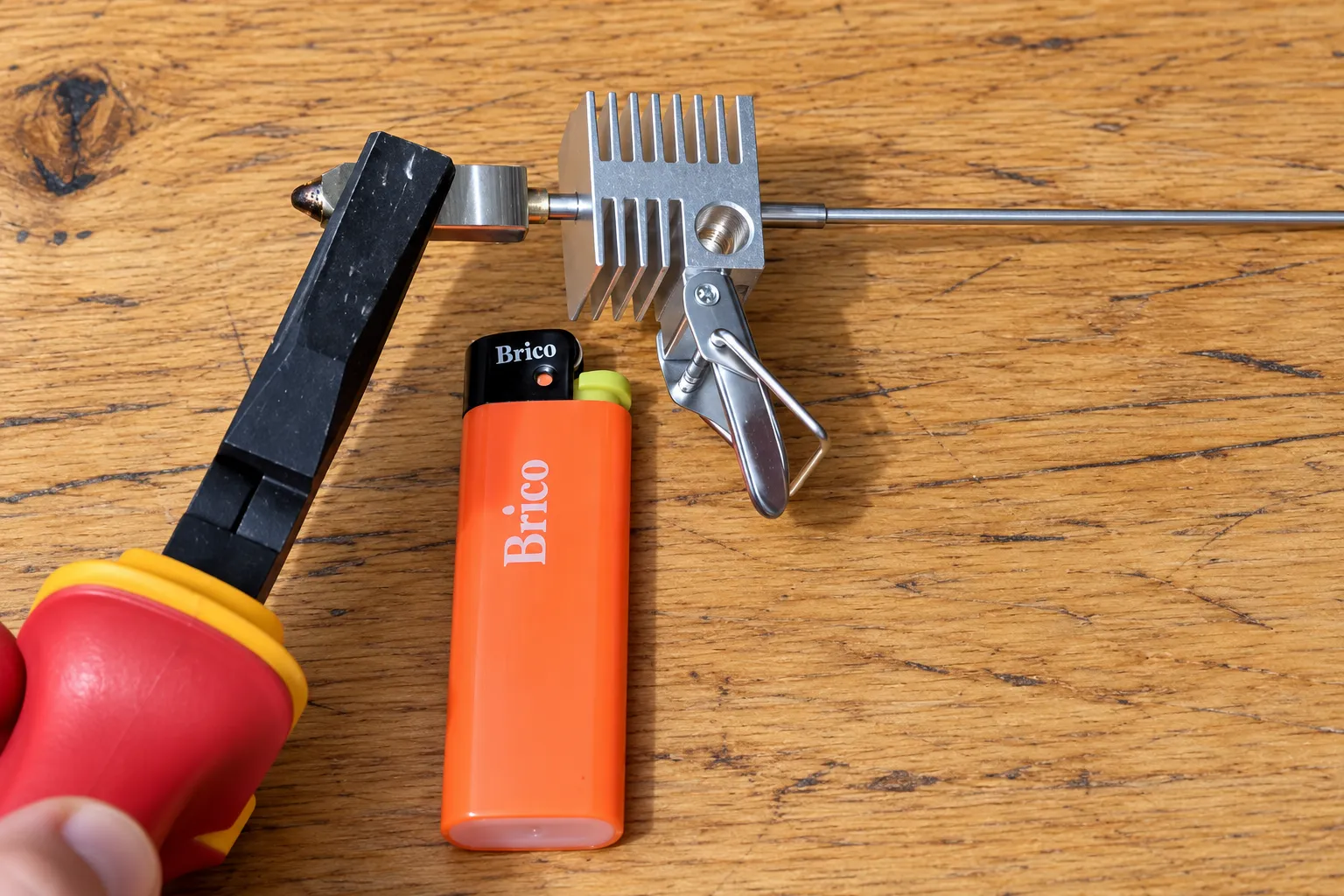
If you thread the nozzle, be prepared for it to fly once you get the filament out.
Now, briefly heat that neck while pulling the key straight out through the entry. Heat and pull. No twisting or heroic force.
- 1 · The handle
- 2 · The pull
Heat the entry, then push the key in and hold.
Hold the lighter (Space works too). Then hold Push, hold the key, or hold ↓.
In real life: hotend off the printer, heater and sensor wires out of the flame. This one has no wires.
If the key slips out, repeat step one. If the filament won’t budge, try heating the nozzle. Try to heat in small bursts, I don’t know how hot your machinery gets, so just err on the side of caution.
It’s hot as fuck. Let it cool.
Use pliers or a clamp, not your fingers. The key can get hot too.
The thick nozzle end can stay hot for minutes after the heat sink has completely cooled down. A cool heat sink does not mean a cool nozzle. Leave the whole assembly on a heat-resistant surface to cool.
Don’t push it back into the printer while it’s hot. Hot metal expands, and the mounting opening isn’t built for that. Let it cool, reinstall it, then check that filament extrudes normally.
A quick note on Creality error codes
FR0122 can involve broken filament, but also detection faults. The FO2836 page, titled FO2936, covers i7 feeding issues such as tube routing and a curved filament end. Neither error alone proves there’s filament stuck in the nozzle.
Comments
Comments live in GitHub Discussions (via giscus), so you need a GitHub account to join in.