
Jot
A macOS menu bar app: press a shortcut, type a rough idea, and an AI model turns it into a titled checklist on your desktop.
Ideas show up at bad times: in the middle of a call, halfway through someone else’s bug. Jot is one shortcut away. Type the rough thought, press Return, and get back to what you were doing. By the time you look again, it has a title and steps.
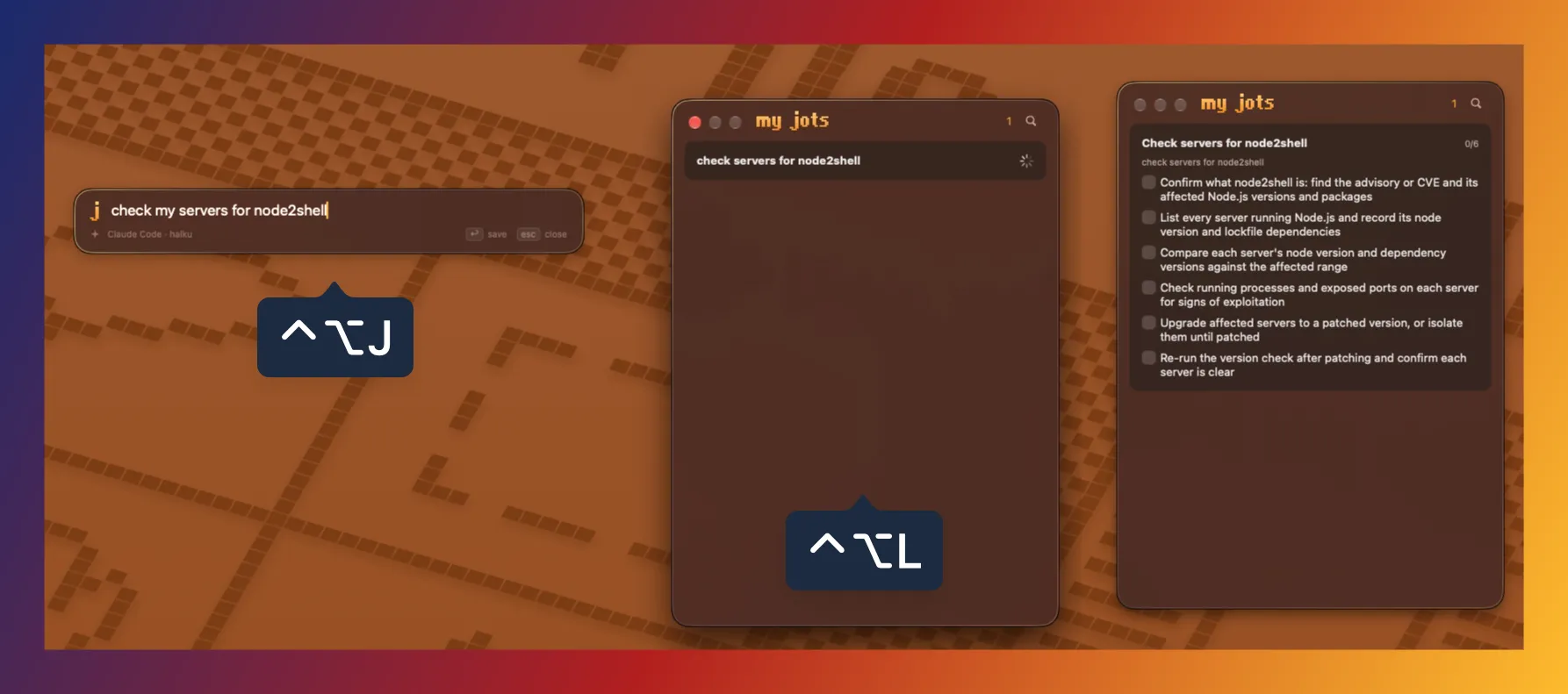
What it does
- Captures your thought.
⌃⌥Jopens a field over any app. Return saves, Esc closes. - Takes dictation. Click the mic or press
⌘Dand speak; Apple’s on-device speech-to-text types it in. - Creates a plan. The model you picked adds a clean title and three to eight steps.
- Saves text from any app. Select text, right-click, Copy to Jot.
- Lives on your desktop. A widget shows your lists and ticks items with a click.
⌃⌥Lopens the full list. - Sets reminders from plain words. “Call Alex at 16:00” or “pay rent friday” becomes an Apple Reminder that alerts on your Mac and iPhone.
- Clears itself. Tick the last step and the jot moves to Recently Deleted for 30 days.
- Keeps your data in a plain file. Jots are saved as
jot.jsonin a folder you choose, so iCloud Drive or Dropbox can back it up.
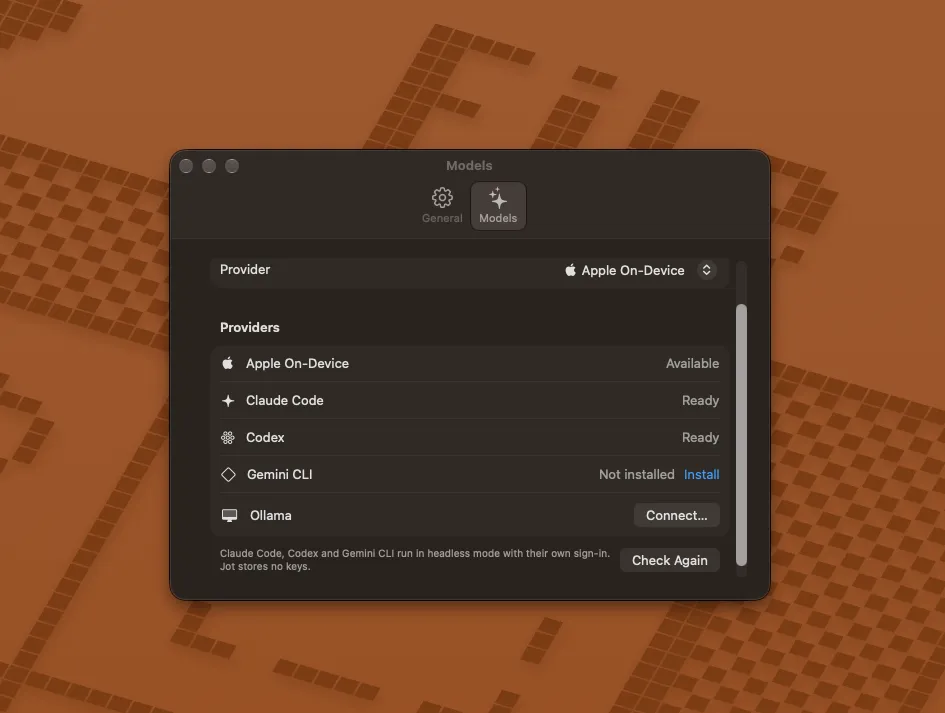
Uses the model you already have
No API keys. Jot works with Apple On-Device (offline, free, nothing to install), Ollama, or the Claude Code, Codex and Gemini command-line tools you are already signed in to. Settings shows which ones are ready.
Getting it
Jot is free and open source (MIT). It is early (0.1) and there is no signed download yet, so for now you build it from source with Xcode; the steps are in the README on GitHub. What it sends where is in the privacy policy.